
RSVPs & attendance

Know who's coming, without chasing anyone.

Players tap In or Out from the app or straight from a reminder email. BenchApp reminds anyone who hasn't answered, and you see a live headcount for every game.

RSVPs and email reminders are free

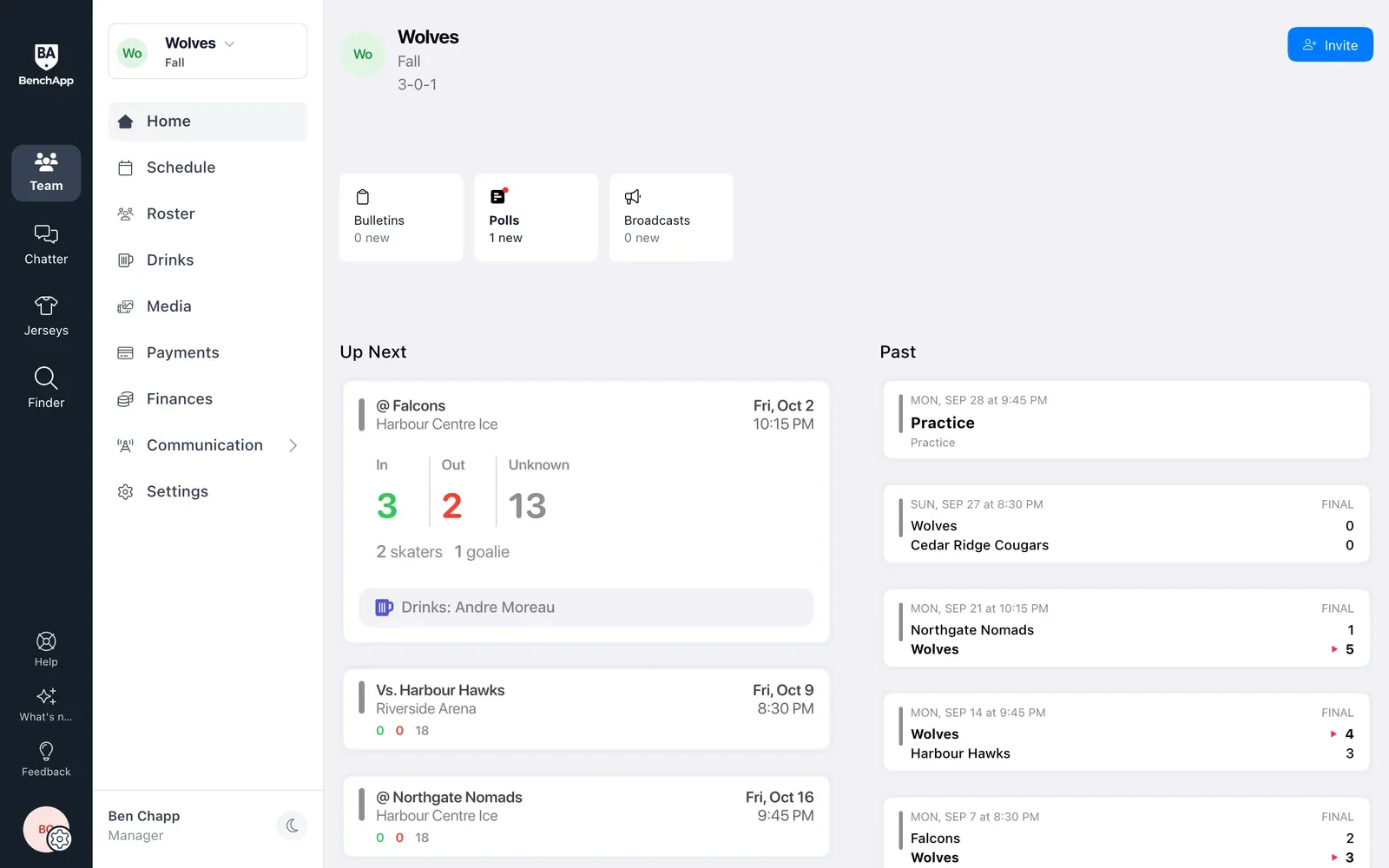
BenchApp on a computer: the team Home page with the next game and who's in, out and yet to reply
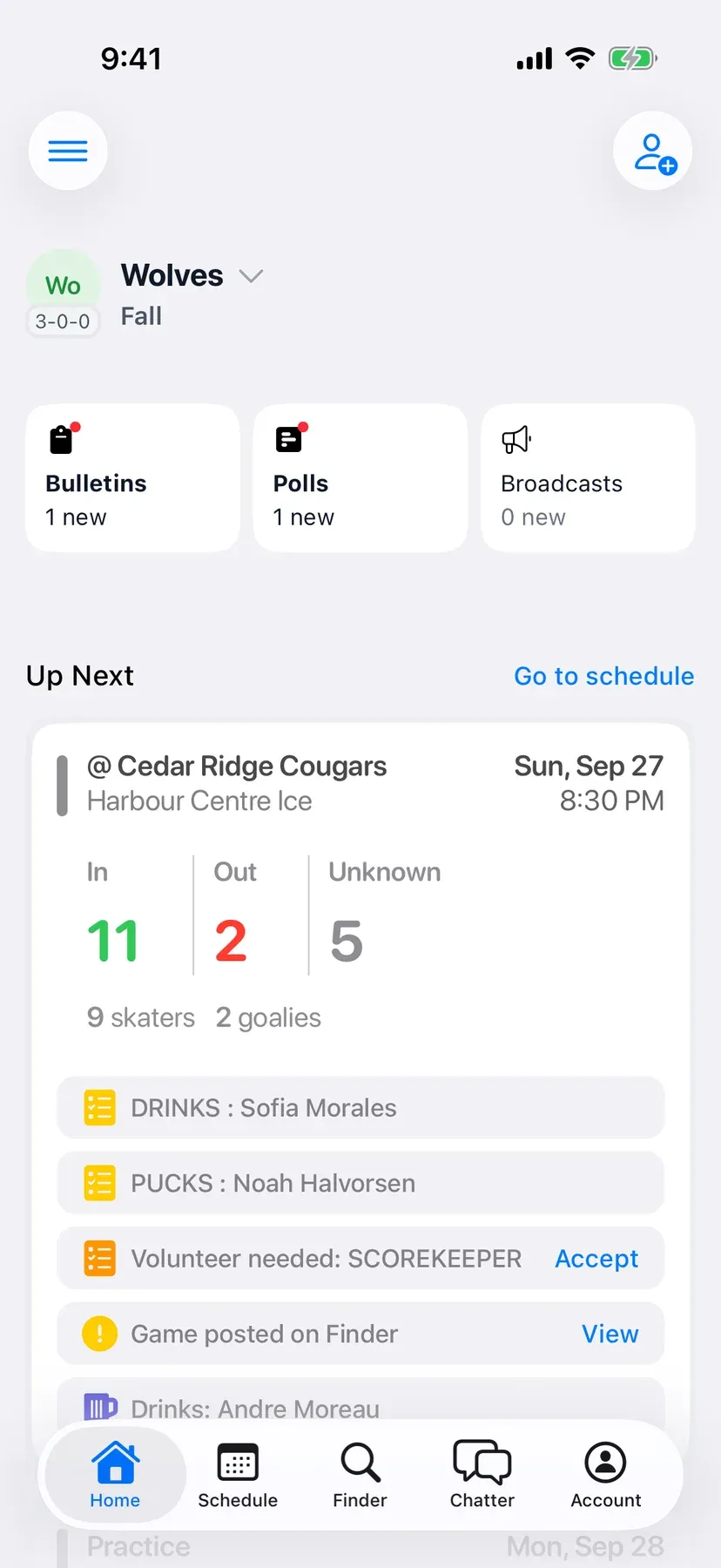
BenchApp on a phone: the team Home screen with the next game and who's coming

How it works

From the invite to a full bench.

Step 1

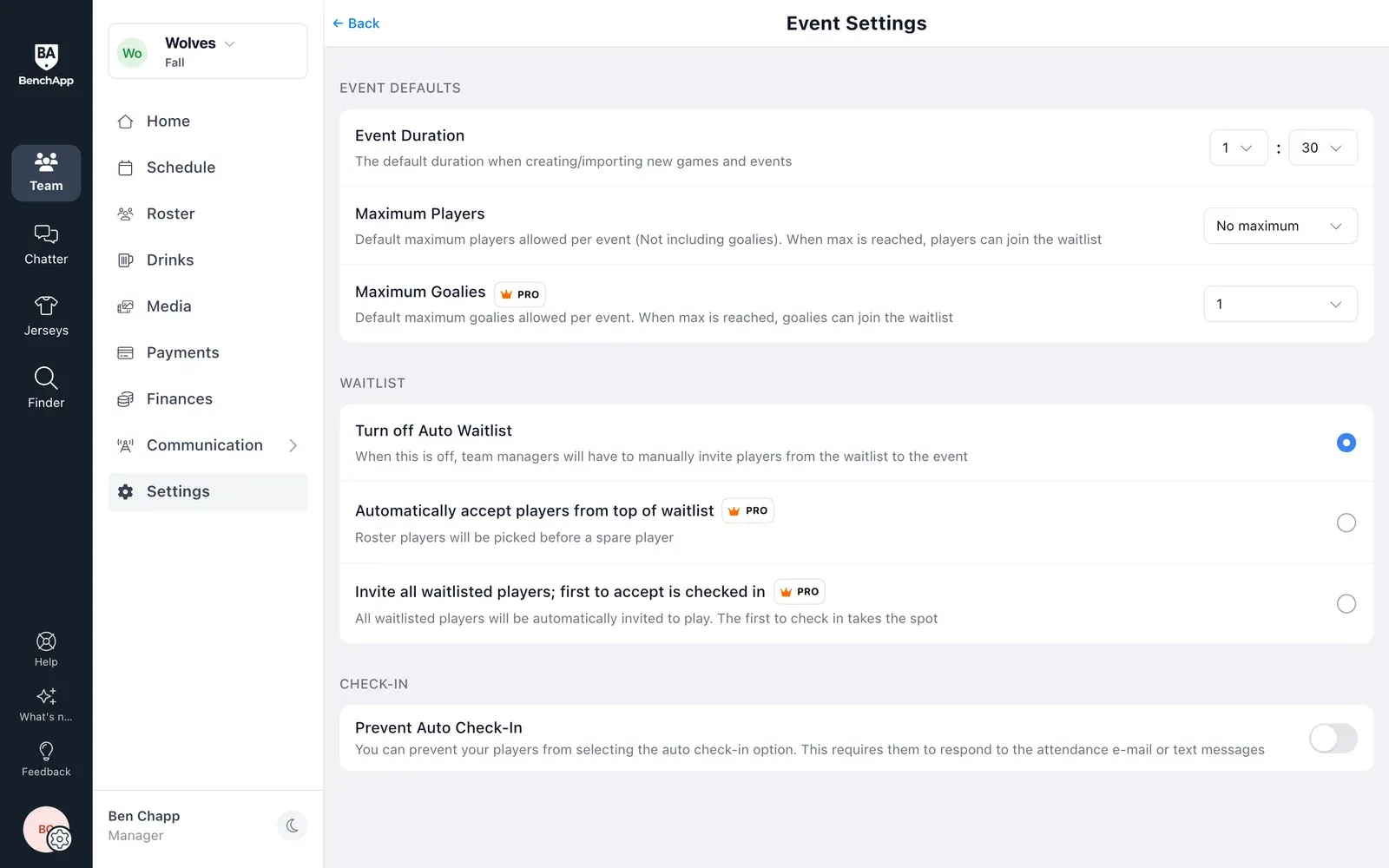
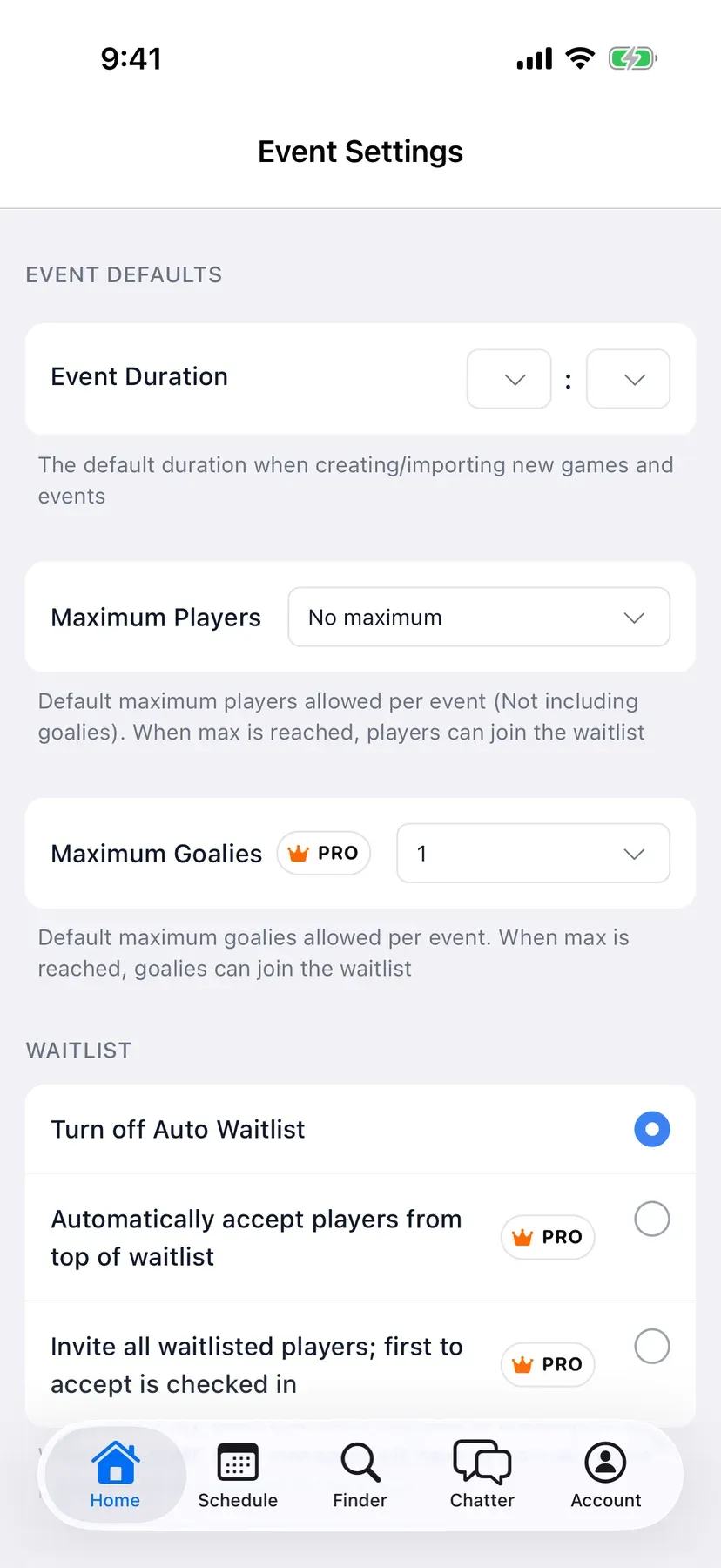
Add a game and set a limit

Every game and practice you add is ready for RSVPs right away. Set a maximum number of players so nobody overbooks the ice, the field or the court.

  • Never overbook the ice or the field
  • Extra players wait in line for a spot
  • Set it up once for the whole season
BenchApp on a computer: Event Settings with maximum players and waitlist options
BenchApp on a phone: Event Settings with maximum players and waitlist options

Step 2

Players tap In or Out

Players answer in the app, on the web, or from the link in their reminder email, with no password needed. They can add a note the whole team can see, like running late.

  • Parents can answer for their kids
  • Regulars can be in for every game automatically
  • No app or password needed to reply
BenchApp on a computer: a game with who's in and out
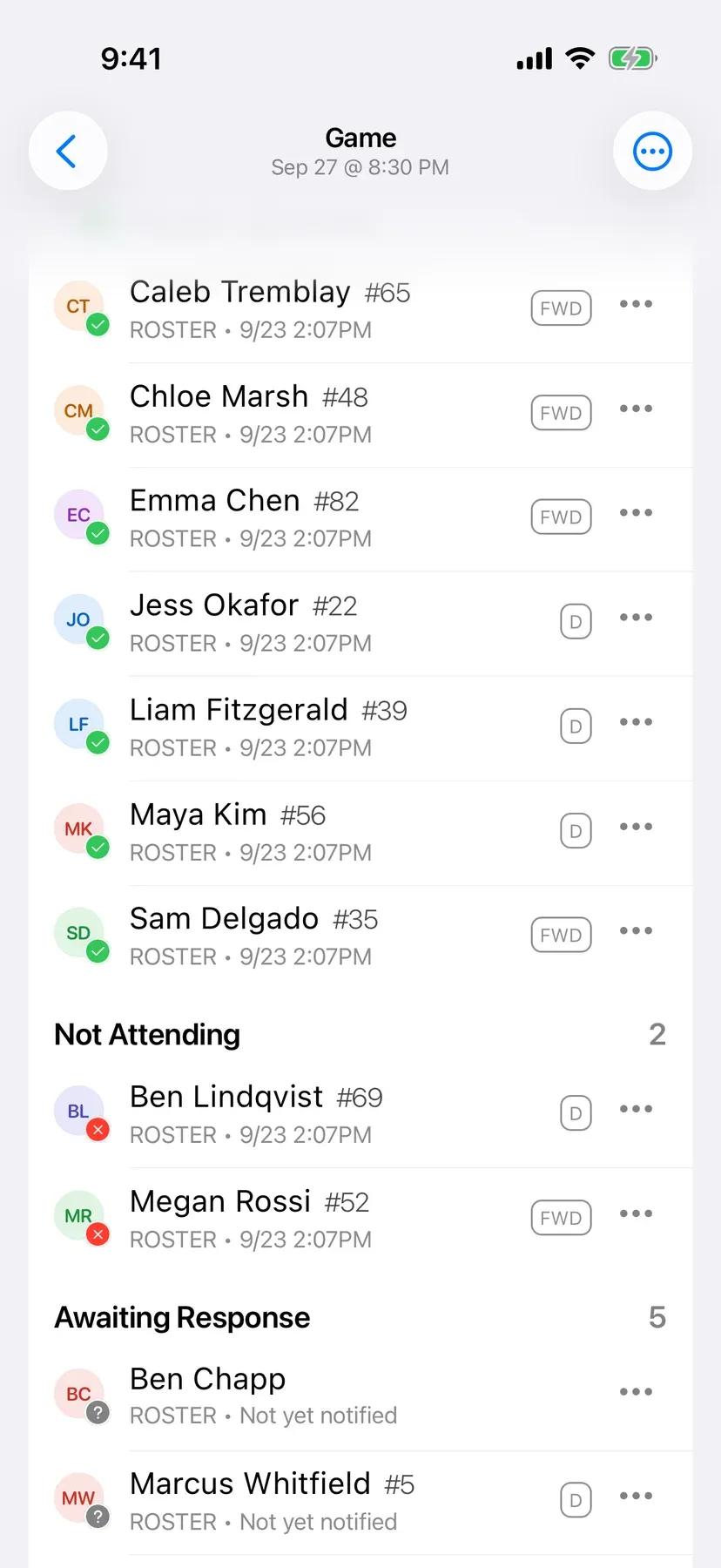
BenchApp on a phone: a game with In and Out buttons and who has replied

Step 3

Reminders go out on their own

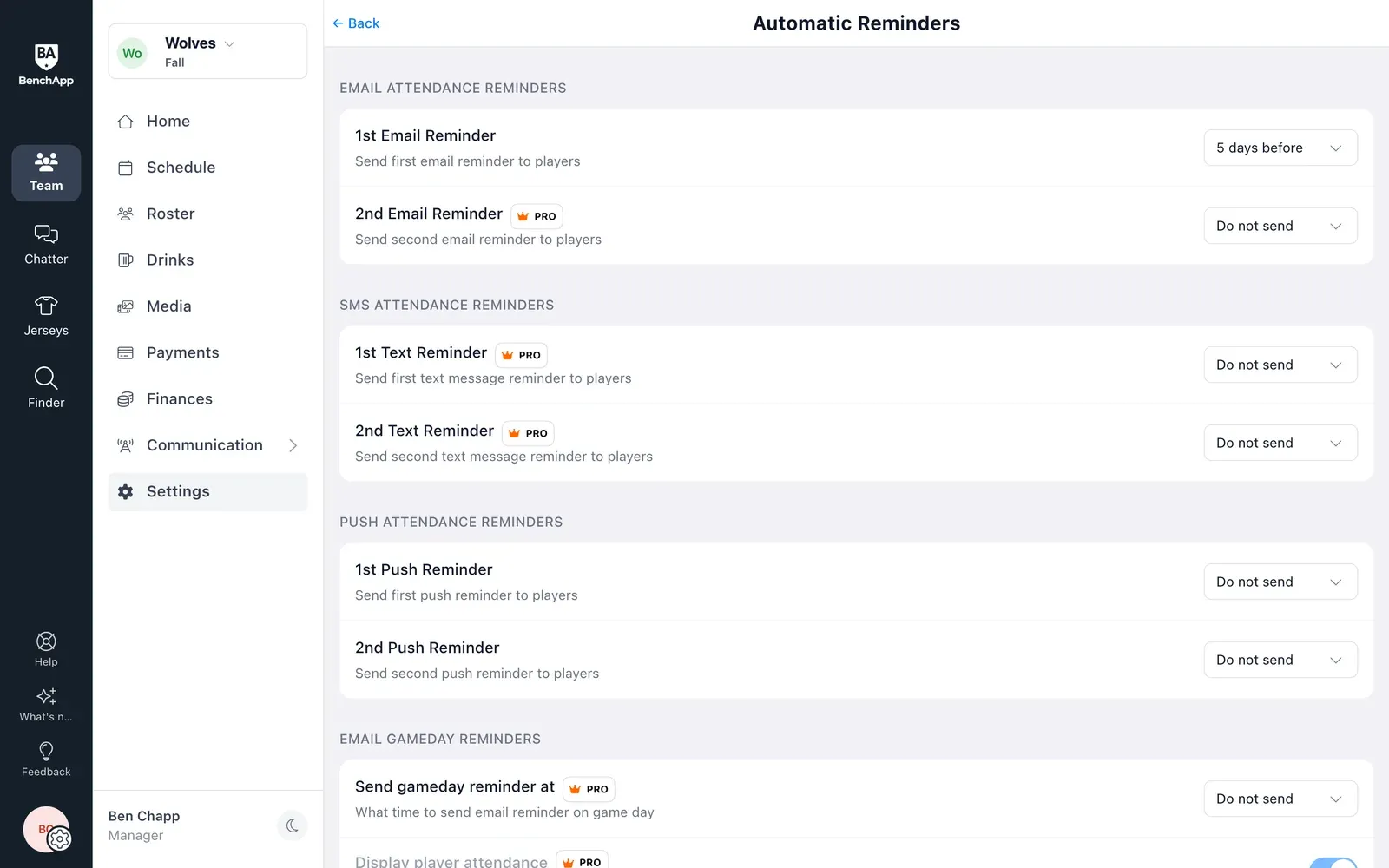
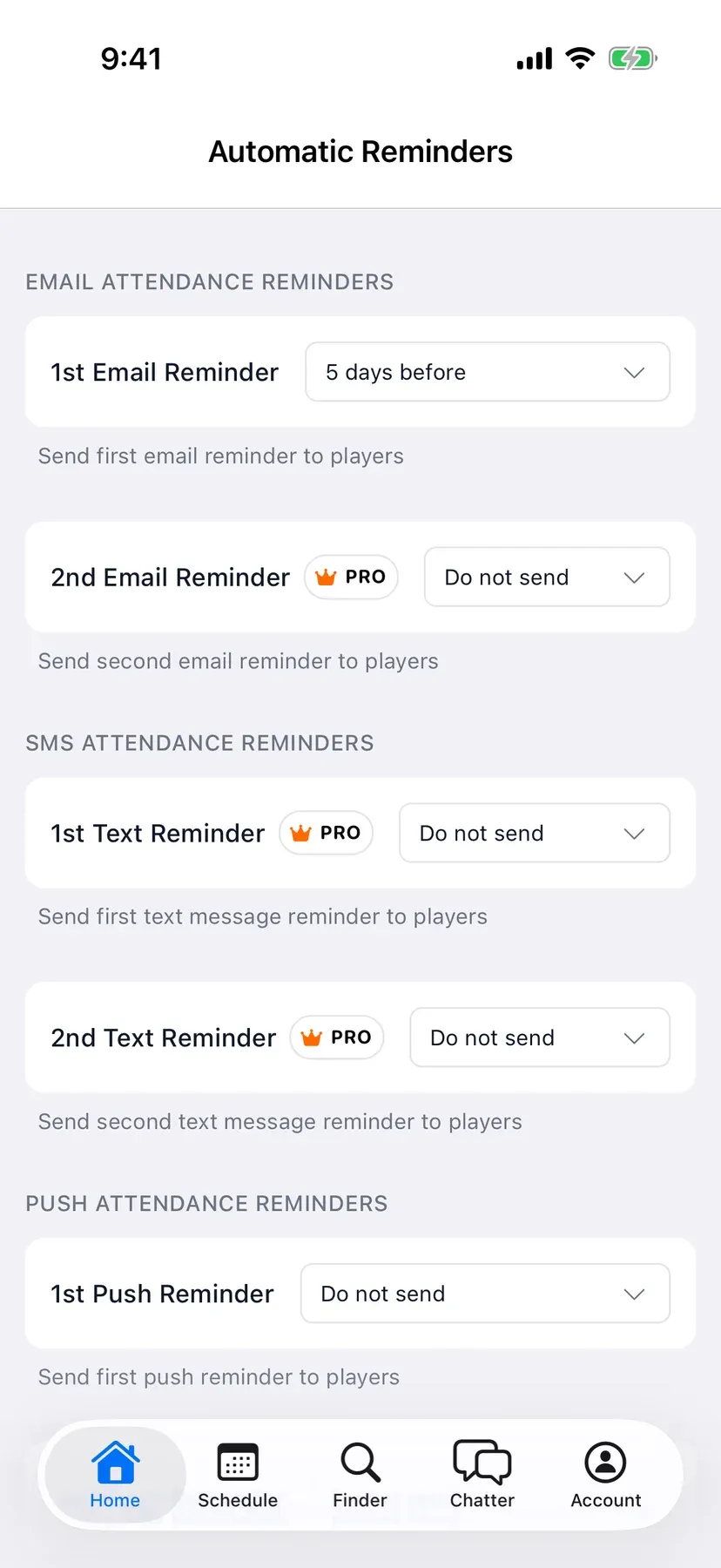
Pick how far ahead BenchApp should remind players who haven't answered, by email, notification or text. You set it once and it happens before every game.

  • Nudges go out before every game
  • Nudge anyone who hasn't answered
  • Remind by text with PRO
BenchApp on a computer: Automatic Reminders for email, text message and push notifications
BenchApp on a phone: Automatic Reminders for email, text and push

Step 4

See your headcount at a glance

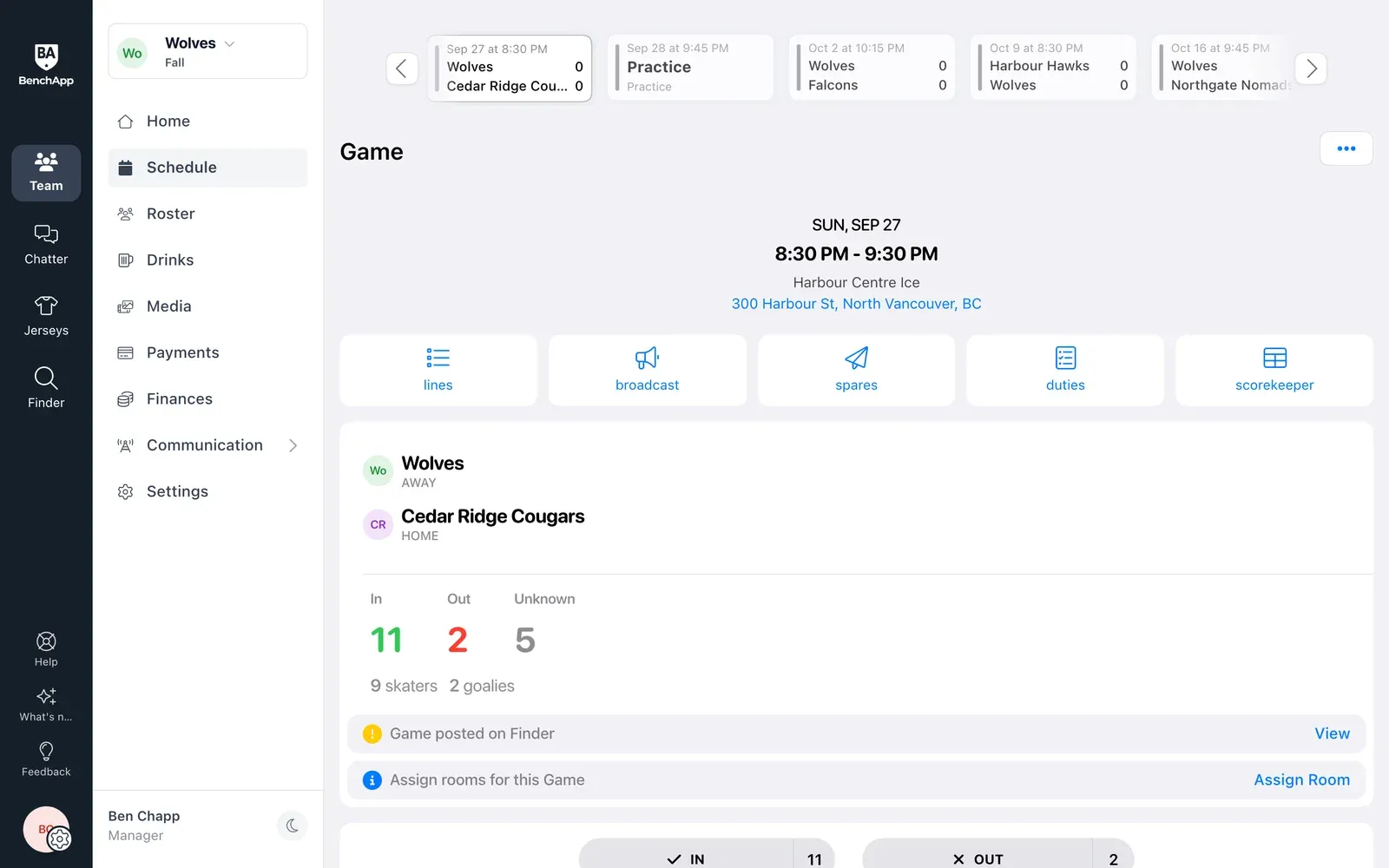
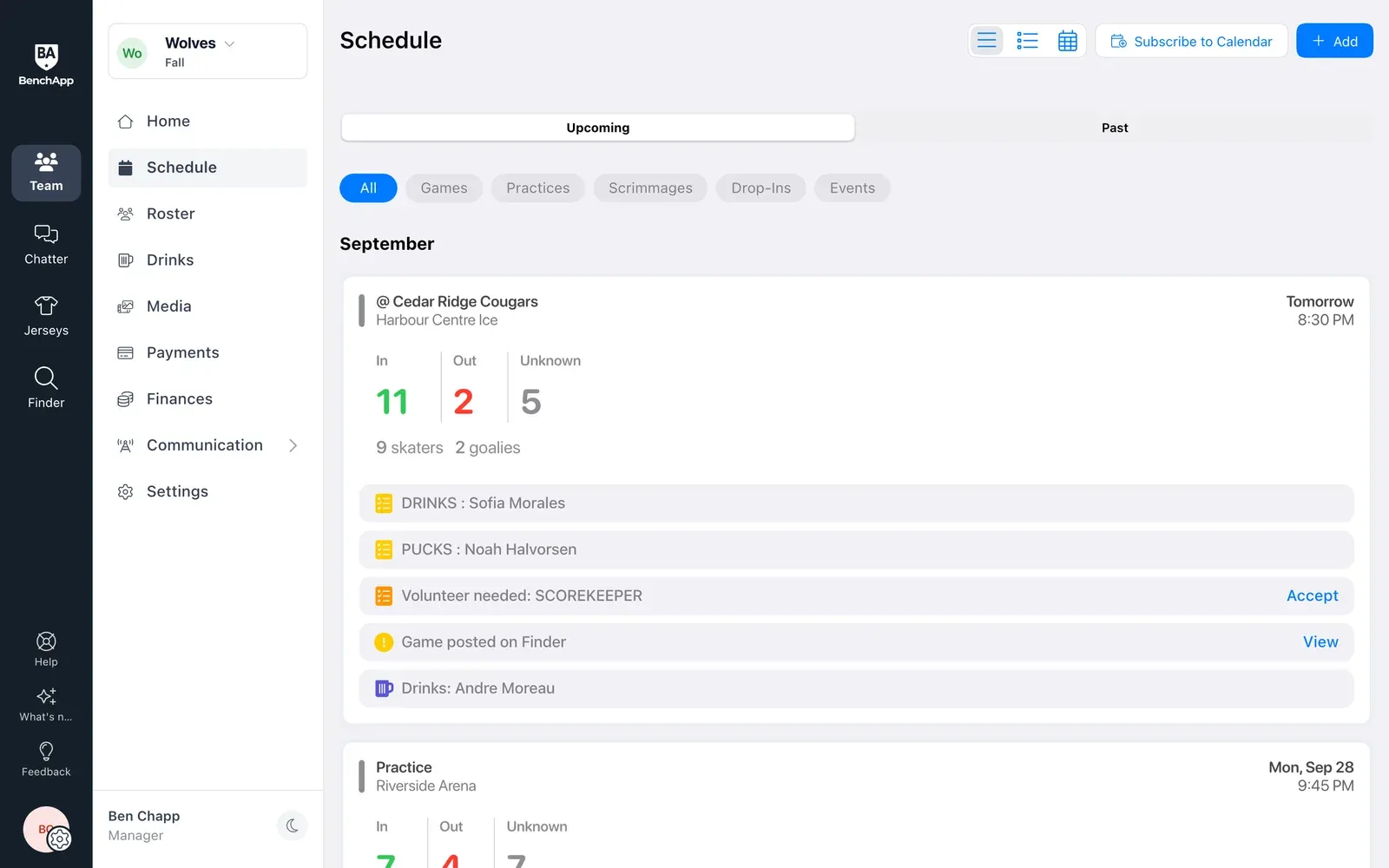
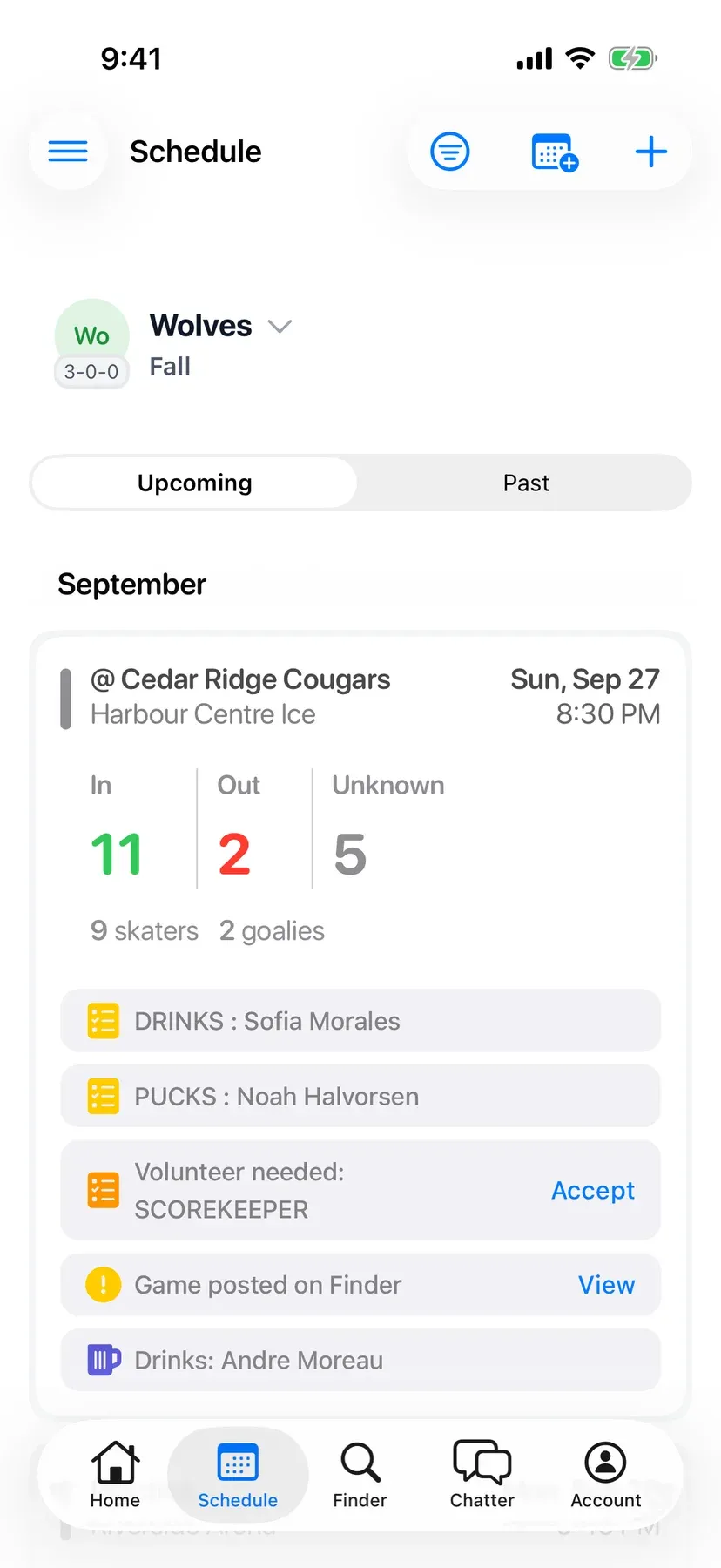
Every game shows who's in, who's out and who hasn't answered yet, with counts for skaters and goalies. Your Home screen shows the next game and who's coming.

  • See who's in, who's out, and who hasn't said
  • Know right away if you're short
  • Get a heads-up when someone drops out
BenchApp on a computer: the schedule with in, out and unknown counts for every game
BenchApp on a phone: the schedule with in, out and unknown counts

BenchApp PRO

More reminders and a smarter waitlist with PRO

BenchApp PRO adds text message RSVPs and reminders, a second email reminder, a game day reminder email, and a waitlist that fills spots for you, either by accepting the next player in line or by inviting everyone and giving the spot to whoever checks in first.

See PRO pricing

FAQ

Questions, answered.

Is RSVP free?

Yes. RSVPs in the app and by email, and your first email reminder, are free for every team.

Is there a Maybe option?

No. Players choose In or Out, and anyone who hasn't answered shows as Awaiting Response, so you always know who to follow up with.

Do players need to download the app?

No. Players can answer from the link in their reminder email without logging in, or use BenchApp on the web. The iPhone and Android apps add push notifications.

When do reminders go out?

You choose: 1 to 10, 15 or 30 days before each game, with a second reminder if you like.

What happens when a game is full?

Players join the waitlist. You can accept players from it yourself, or with PRO BenchApp can accept the next player automatically, or invite everyone and give the spot to the first to check in.

Can parents RSVP for their kids?

Yes. A parent linked to a player can set attendance for them from their own account.

Can players RSVP by text message?

Yes, with BenchApp PRO. Text message RSVPs and reminders are part of PRO.

Who can see a player's note?

Everyone on the team, so a quick "running 10 minutes late" reaches the whole bench.

Keep exploring

See everything BenchApp can do

Stop counting heads in the group chat.

Create your team, add your first game, and see who's coming in minutes.

Create your FREE team