Team chat & broadcasts

One place for every team conversation.

Every team gets its own chat, right next to the schedule. Message a teammate privately, start a group, or send a broadcast by email, push or text when everyone needs to see it.

Team and private messaging are free

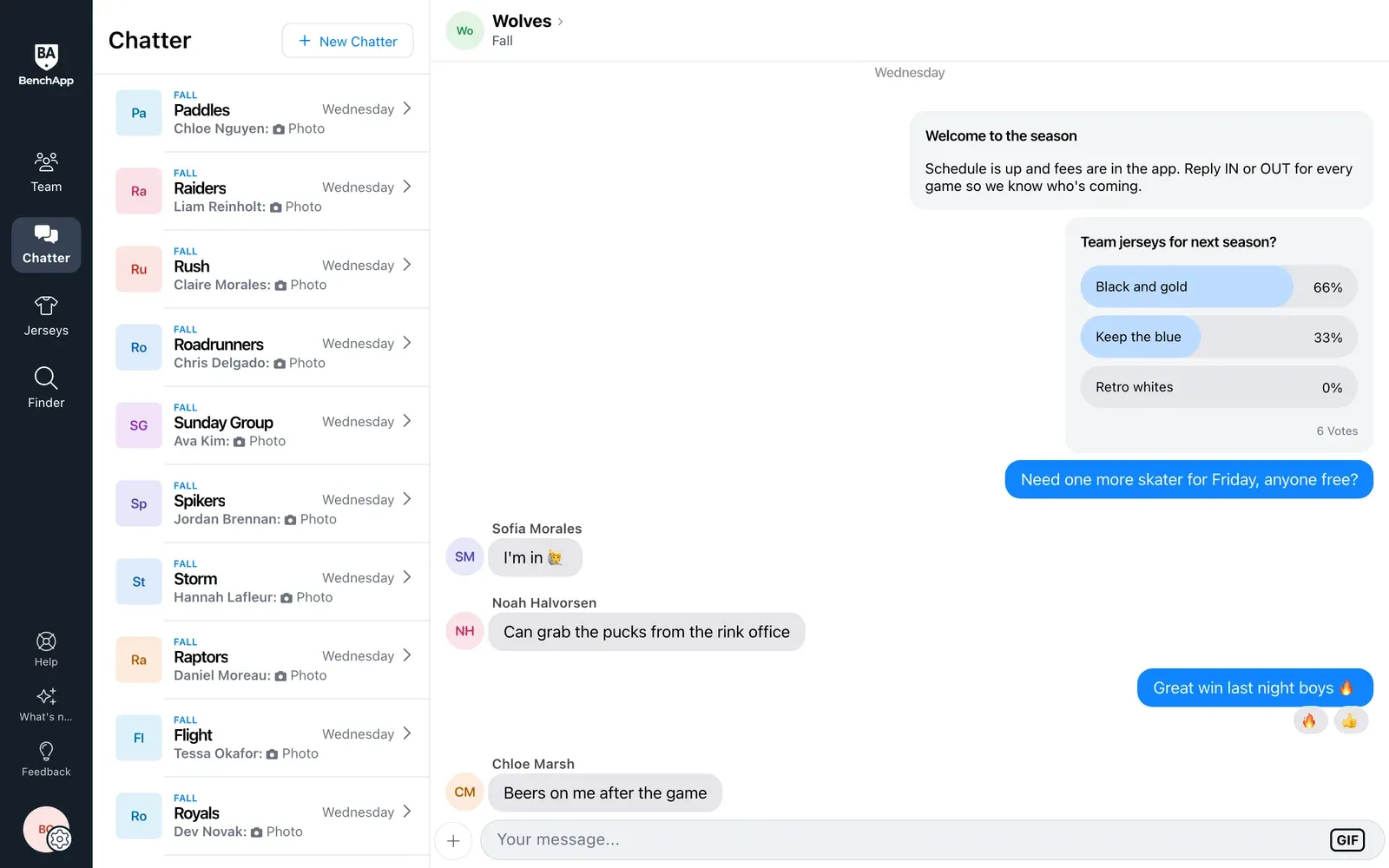
BenchApp on a computer: team chat with a poll and photos
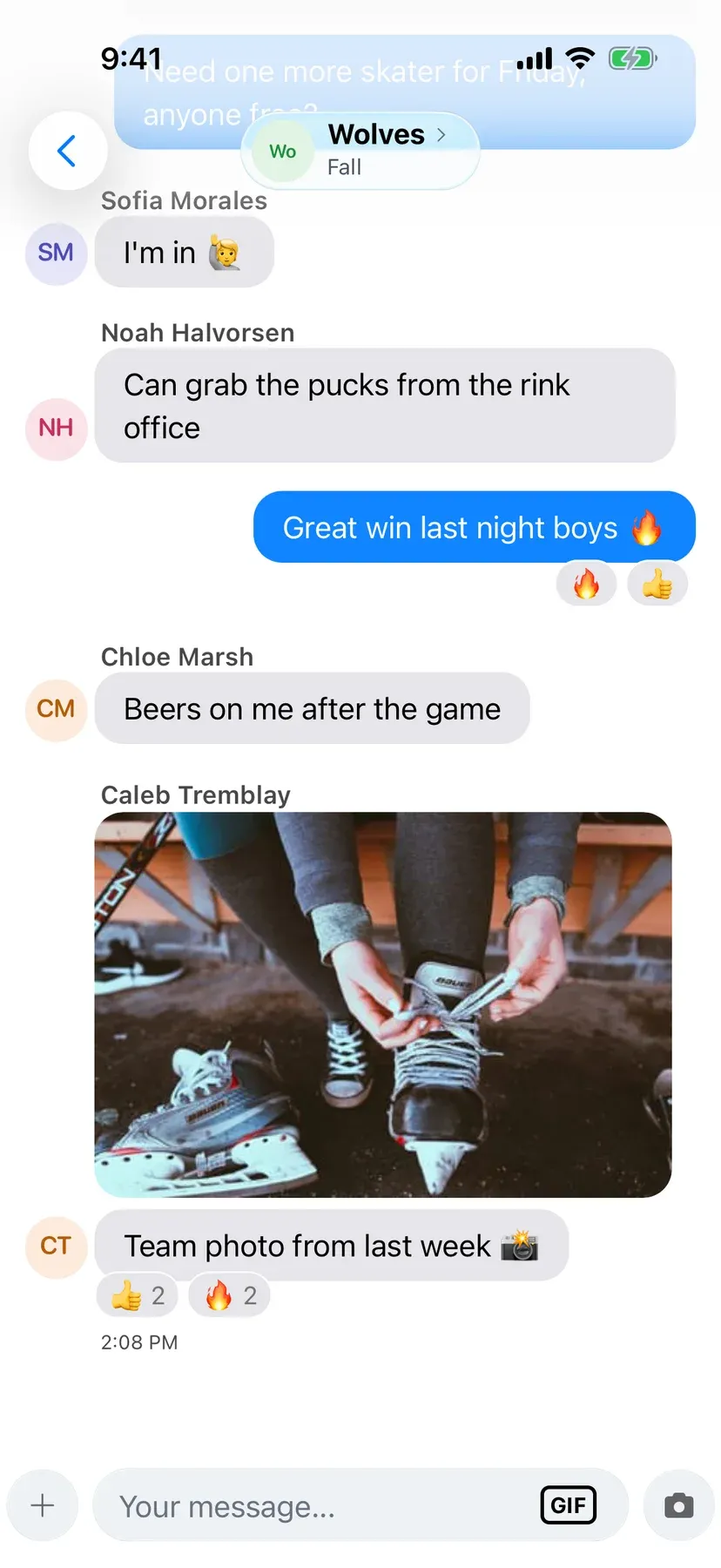
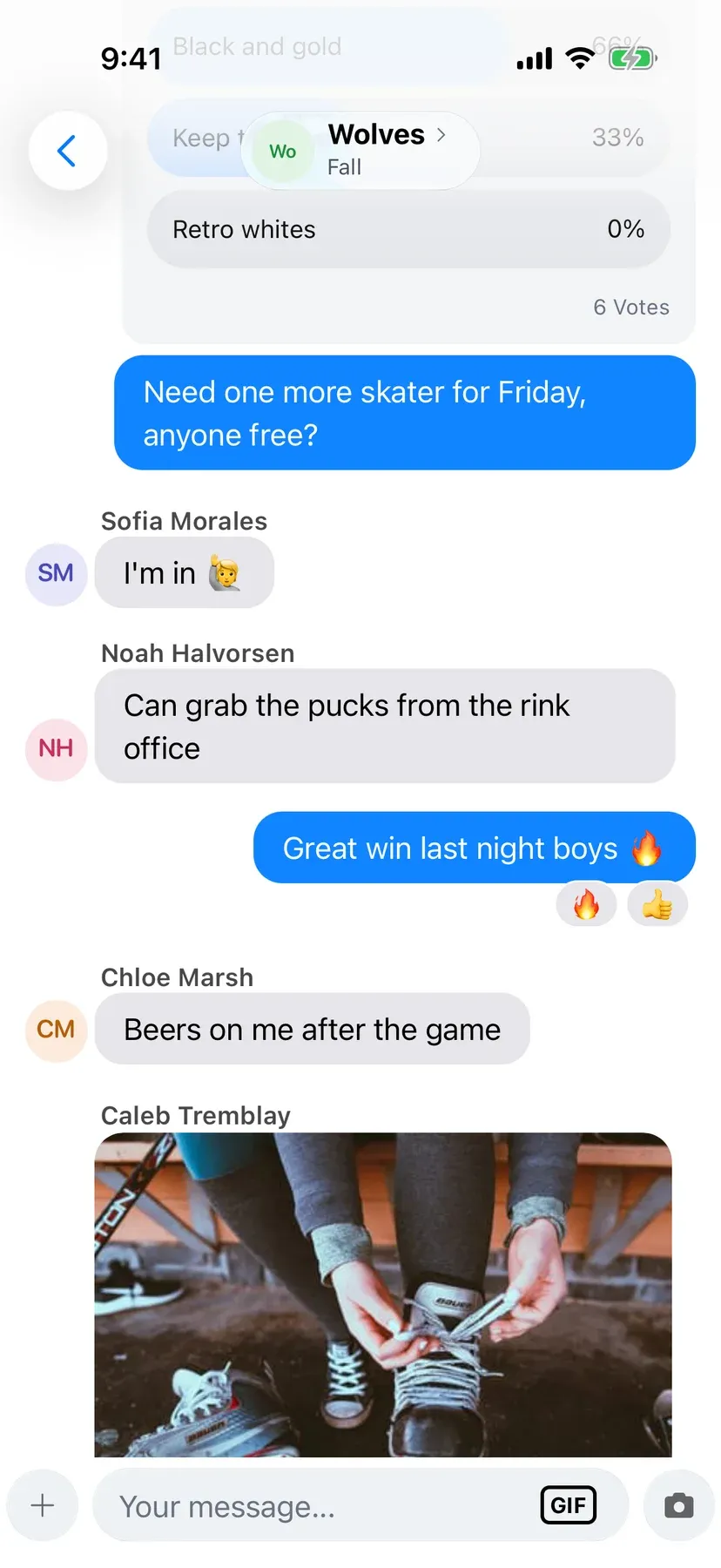
BenchApp on a phone: a team chat conversation

How it works

Chat, message, and make sure everyone hears it.

Step 1

Chat as a team

Everyone on your team is in the team chat from day one. Talk from your phone or your computer, and keep game plans out of your personal group texts.

  • Communicate with your whole team
  • Share GIFs and photos
  • Reply and react to messages
BenchApp on a computer: the team chat beside the list of chats
BenchApp on a phone: team chat with shared photos and GIFs

Step 2

Message anyone privately

Start a one-on-one chat with any teammate, or a named group with just the people you pick, like your goalies or the organizing committee.

  • Create private parent or coach groups
  • Message any teammate one-on-one
  • Block anyone who crosses the line

Step 3

Send a broadcast

When everyone needs to see it, managers send a broadcast by email, push notification or text message, to the whole team or just a few players.

  • Reach everyone by email or notification
  • Send to the whole team or just a few
  • Text the team with PRO
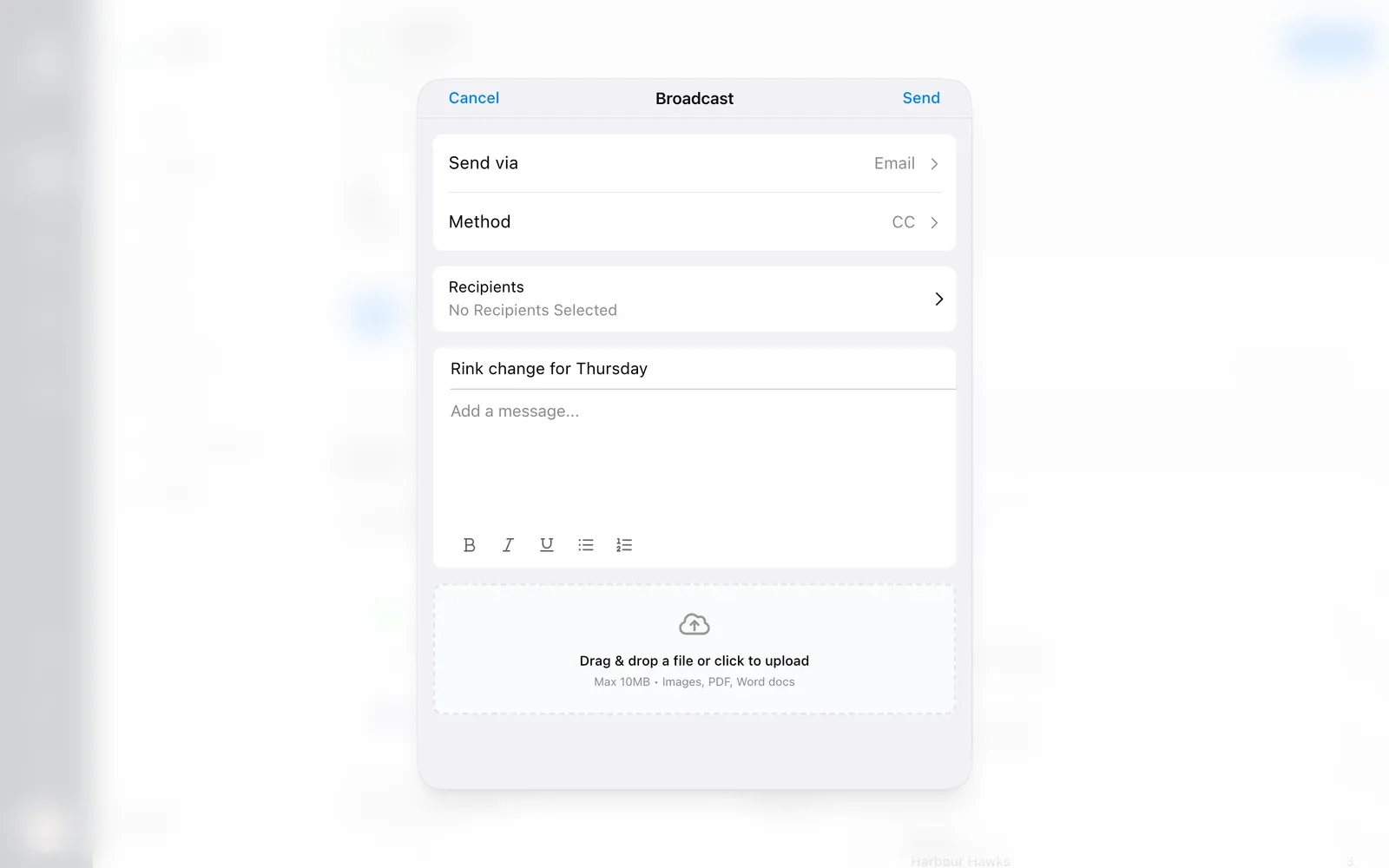
BenchApp on a computer: a new broadcast with Send via, recipients, a subject and a message
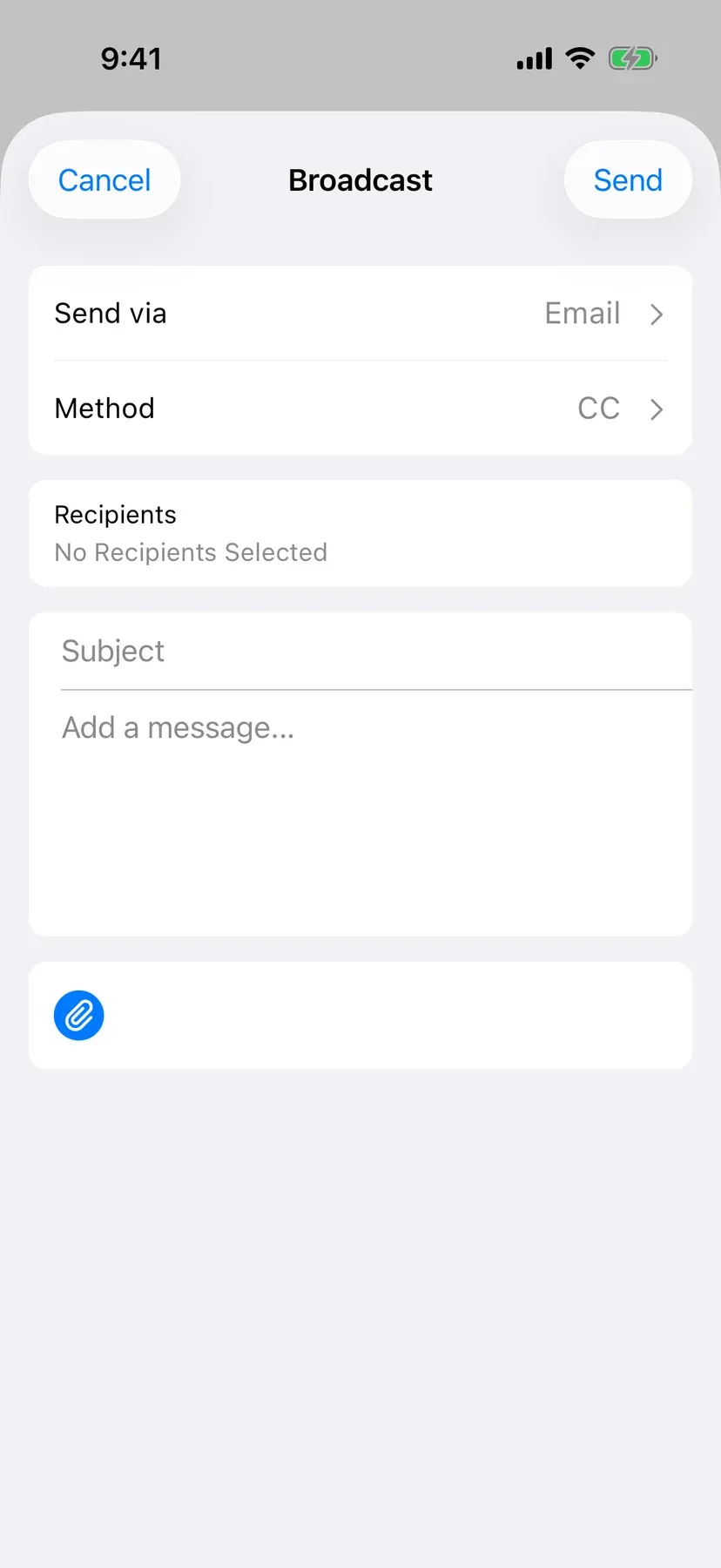
BenchApp on a phone: a new broadcast with Send via and recipients

Step 4

Notifications your way

Get a push notification for new messages, or mute the chats you don't need. Every photo shared in a chat is saved in one place.

  • Mute the chats you don't need
  • Every team photo saved in one place
  • Works on your phone and computer

BenchApp PRO

Text the whole team with PRO

Team chat and email and push broadcasts are free. BenchApp PRO adds text message broadcasts and reminders, BCC on email broadcasts, and file attachments, for the messages that can't wait.

See PRO pricing

FAQ

Questions, answered.

Is team chat free?

Yes. Team chat, private messages and group chats are free for every team.

Can I text my whole team?

Yes, with BenchApp PRO. Free teams can send broadcasts by email and push notification.

Who can send broadcasts?

Team managers send broadcasts. League admins can also send broadcasts to every team in their league.

Can players message each other privately?

Yes. Players can chat one-on-one or in group chats with the teammates they choose.

Can we share photos?

Yes. Share photos up to 10MB each, and GIFs. Every photo is saved in the chat's Media and Docs.

How long can a text message broadcast be?

Up to 320 characters, including your name and team, which BenchApp adds to the end.

Can I turn off chat notifications?

Yes. Mute any chat, or turn off Chatter notifications in your notification settings.

Does it work on a computer?

Yes. Team chat and broadcasts work in any web browser as well as the iPhone and Android apps.

Keep exploring

See everything BenchApp can do

Get the team out of the group text.

Create your team and start the conversation in minutes.

Create your FREE team